The Tool That Tells You Who Can Actually Reach Your Business
Most people pick a location by distance. What actually matters is drive time, in traffic. Here's how to see it.
Most people pick a business location by distance. How many people live within five miles? It feels like the right question. It is not.
What actually matters is drive time, not distance. Five miles across LA at rush hour can take an hour. Five miles somewhere quiet takes five minutes. Your customers don't care about miles, they only care how long it takes them to get there. So the real question isn't "who lives near me," it's "who is willing to drive to me?"
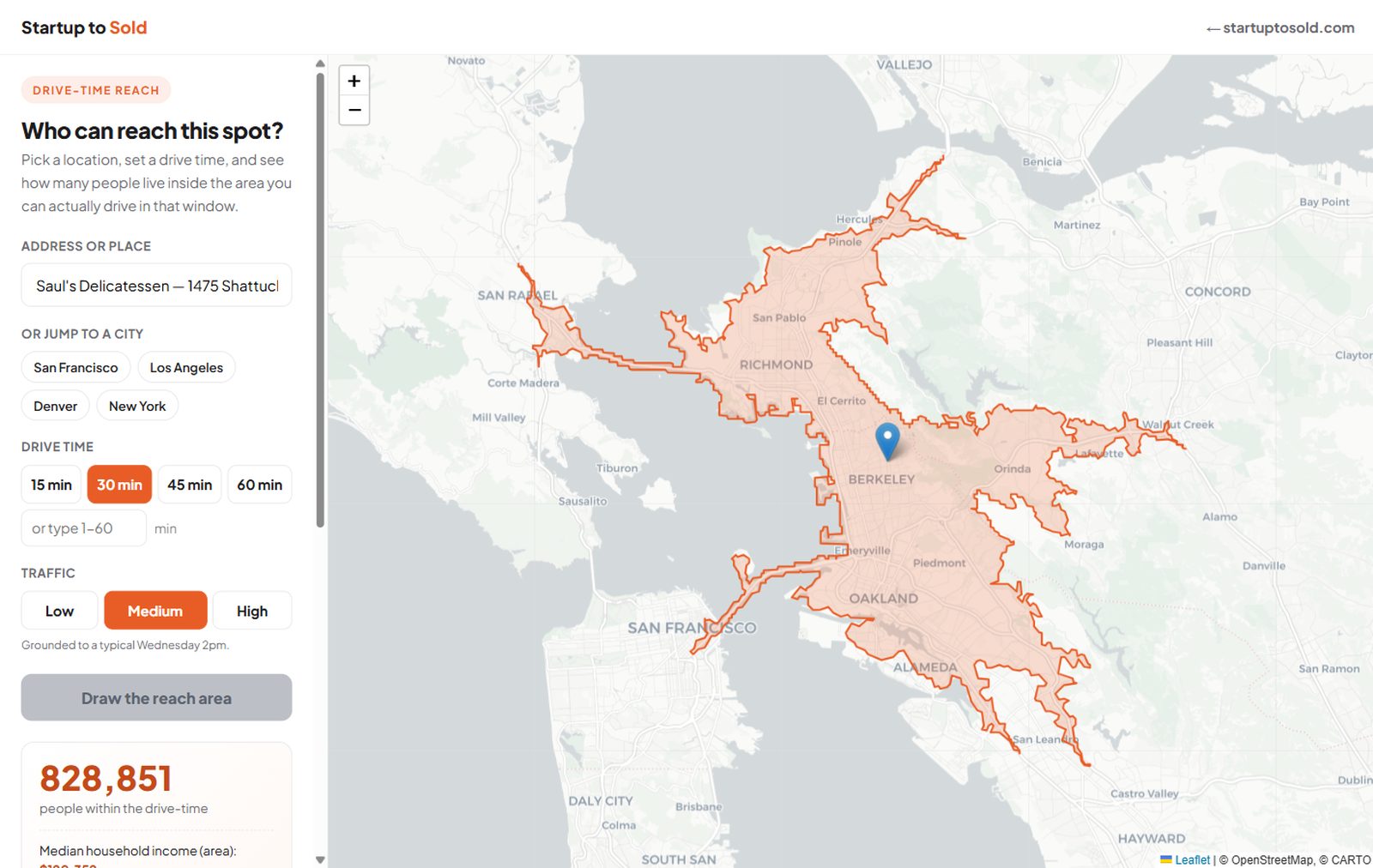
You can check one address at a time in Google Maps: type in a starting point, set the departure to a weekday at 5pm, and see how long the drive really takes. But that only tells you about one starting point. You can't see your whole reach at once, the full area that can get to you inside a given drive time.
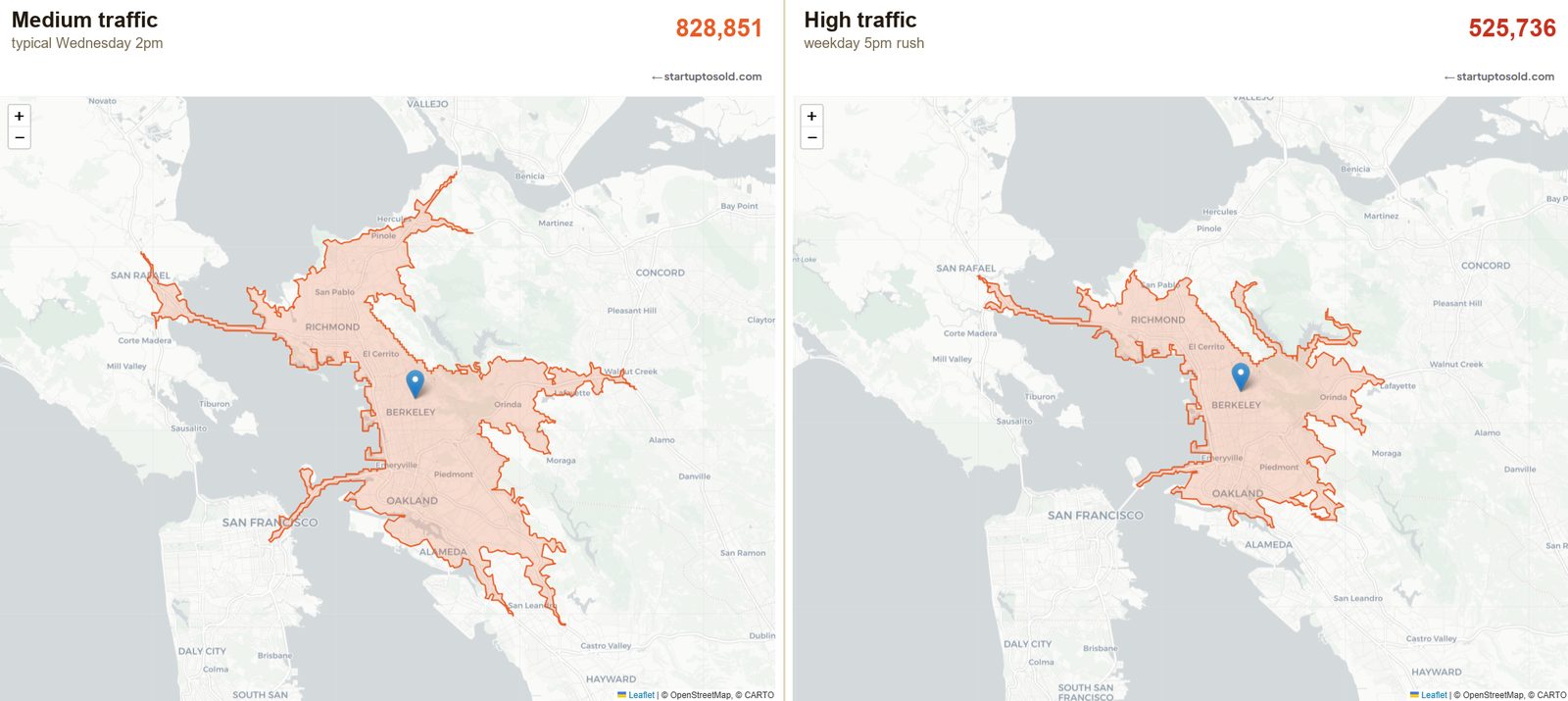
That shape has a name: an isochrone. It's the area around a point where every edge is the same travel time away, not the same distance. Draw it with traffic and it doesn't look like a neat circle, it looks like a disfigured hand. It bulges along the freeways and caves in where the bridges and rush hour choke it off.
I built a tool that draws it for any address in the country. It's called Reach Map. You drop a pin, pick a drive time, and it shades in the real area that can reach you, then counts how many people live inside it.
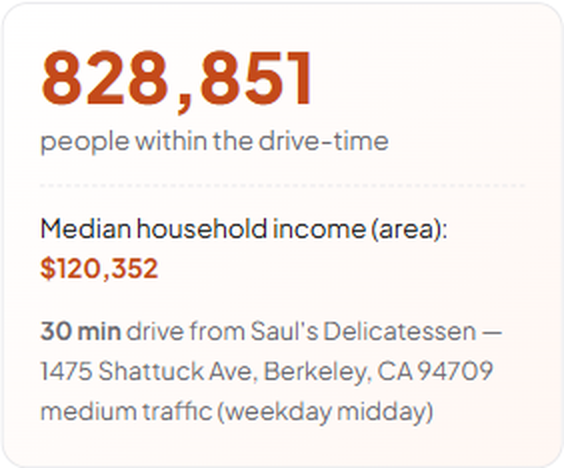
Here's why that number matters. Take that same Berkeley corner. Off-peak, about 828,000 people are within a 30-minute drive. Set the traffic to a weekday 5pm rush and it drops to 526,000. Rush hour alone erases 300,000 of the customers a distance-based map would have promised you.
Who this is for
- Picking a location. Compare two addresses head to head and see which one actually puts more of your customers within reach at the hour they'd show up.
- Understanding a location you already have. You might have whole neighborhoods of ideal customers sitting just outside your real rush-hour reach, and from behind the counter they look identical to people who simply didn't come.
- Sizing a market before you spend on it. Know how many reachable customers a spot really has before you sign a lease or buy ads aimed at people who can't get to you anyway.
How to use it
- Go to Reach Map and enter any address.
- Pick a traffic level: low, medium, or high.
- If you know a competitor owns part of the area, draw a shape on the map to cut it out, so the customer count reflects who's really yours.
- Read the number: how many people, filtered to your customer's age and income, can actually reach you.
It took about a day to build, with AI writing most of the code. A question that used to be a consulting engagement is now an afternoon.
Here's the build if you want to see your own reach: